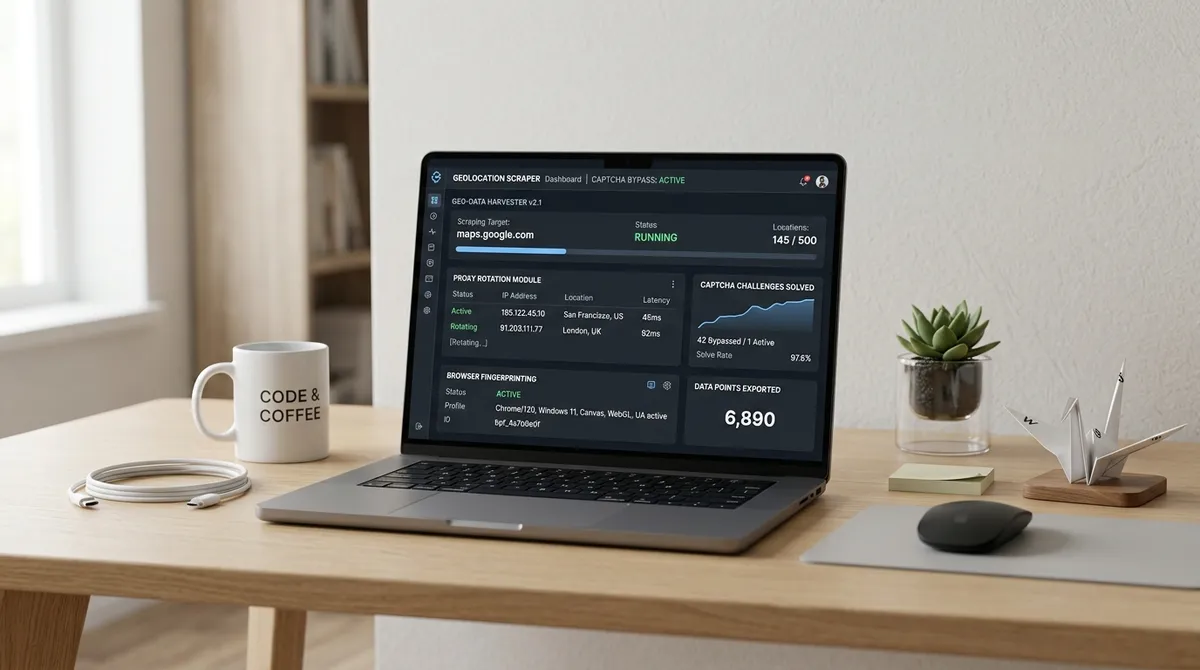
TL;DR: Octoparse is a general-purpose visual web scraper that can technically handle Google Maps after 30–90 minutes of setup; dedicated Google Maps scrapers like LeadsAgent extract the same data in under two minutes with zero configuration. Octoparse starts at $69–$89/month and delivers 44 data fields but fails 47–53% of the time on Maps tasks. Dedicated tools offer pre-indexed data, purpose-built filters, and significantly higher reliability for Maps-specific lead generation.
octoparse google maps
I spent 14 hours inside Octoparse's workflow builder extracting Google Maps data. I got a partially populated CSV and a desire to throw my laptop into the Hudson. Octoparse is a capable visual scraper, but Google Maps is a JavaScript-heavy app that loads dynamically and resists extraction. A 2026 benchmark across 100 queries found just a 47% success rate (AIMultiple, 2026) — more than half of attempts fail.
The Octoparse Experience: A Love-Hate Story
I want to be fair to Octoparse because it genuinely deserves credit where credit is due. The platform has been around since 2016 and has matured into one of the most capable no-code scraping tools on the market. Its template library covers over 1,000 websites, its visual workflow builder genuinely lets non-technical users build scrapers by pointing and clicking, and cloud execution with automatic IP rotation removes the biggest headache of running scrapes on your own machine. The Standard plan, starting around $69–$89/month depending on billing cycle, gets you 100 tasks, cloud extraction, task scheduling, and anti-blocking features. Octoparse's Google Maps template even uses a clever grid-splitting approach that divides a target area into smaller coordinate-based search points to work around Google's ~120-result-per-query cap (Octoparse, 2026). That matters for large cities like Manhattan or Tokyo where a single search leaves hundreds of businesses on the table.
But — and this is a but the size of a small European country — the Google Maps template has documented issues. Multiple reviewers and comparison articles note that Octoparse's pre-built Google Maps template struggles with popup handling, often failing to run at all (IBLead comparison, 2026). When it does run, an AIMultiple benchmark testing 100 queries across 10 business categories found Octoparse's success rate on Google Maps scraping landed at just 47%, compared to competitors hitting 100% on the same task (AIMultiple, 2026). That means more than half your scraping attempts fail. You set up a task, walk away, come back, and find zero results with no clear error message. That's not a bug — it's a feature of trying to scrape a site that wasn't designed to be scraped with a tool that wasn't designed to scrape it.
What Dedicated Google Maps Scrapers Do Differently
This is where the specialist tools enter, stage left, looking smug. Dedicated Google Maps scrapers — tools like LeadsAgent, IBLead, MapsLeads, and Scrap.io — are built for exactly one job: extracting business data from Google Maps. They don't have workflow builders because they don't need them. You don't configure selectors, define pagination rules, or debug XPath expressions. You type what you want, and the tool handles the rest.
LeadsAgent, for example, is a Chrome and Edge extension that runs an AI agent directly inside your browser. You open the extension, describe your target in plain English — "plumbers in Austin without a website" — and the agent searches Google Maps, scrolls through results, visits business websites to find publicly displayed emails, and builds a structured CSV. The entire process takes under two minutes from install to first export (LeadsAgent, 2026). The free tier gives you 1,000 leads per month with no credit card required, and email extraction from business websites pushes email coverage to 35–45% of records — compared to under 10% from Maps listings alone.
Scrap.io similarly promises two-click extraction with access to 4,000+ business categories and country-wide search capabilities. Their comparison documentation highlights that while Octoparse can technically scrape an entire country by breaking queries into hundreds of smaller chunks, the process is slow, painful, and prone to failure. With Scrap.io, a 200,000-record extraction runs in minutes, not hours (Scrap.io, 2026).
The fundamental insight here is something I wish someone had told me before my 14-hour Octoparse odyssey: general-purpose tools are optimized for flexibility, not for any single use case. A Swiss Army knife can open a wine bottle, but a corkscrew does it better, faster, and with less risk of stabbing yourself in the hand.
Pricing: The Tale of the Tape
Let's talk money, because this is where the comparison gets genuinely interesting. Octoparse's Standard plan runs $69–$89/month depending on billing (Octoparse pricing page, 2026). The Professional plan jumps to $209–$299/month. And here's the kicker: Octoparse's pricing is tied to scraping tasks and features, not to the number of leads you actually extract. You pay the same $89 whether you scrape 500 leads or 10,000.
| Plan | Octoparse | Dedicated Maps Scraper (e.g., LeadsAgent / IBLead) |
|---|---|---|
| Free tier | Limited local scraping | 1,000 leads/month (LeadsAgent) |
| Entry paid | $69–$89/month (Standard) | $10/month (LeadsAgent Starter) |
| Mid tier | $209–$299/month (Professional) | $20/month (LeadsAgent Pro) |
| Per-lead at 10K | ~$8.90–$29.90/month effectively | $10–$20/month flat |
| Email extraction | Template-dependent, unreliable | Built-in, automatic |
| No-website filter | Not available | Built-in (LeadsAgent, IBLead) |
| Google review extraction | Not available | Available (IBLead, MapsLeads) |
| Cloud execution | Included in paid plans | Always cloud-based |
| Setup time for Maps | 30–90 minutes | Under 2 minutes |
Dedicated tools like IBLead charge per-lead or per-credit, which means you pay for what you use. IBLead's Starter plan at $52/month gives you 10,000 leads; LeadsAgent's Starter at $10/month gives you 10,000 credits. For a 10,000-lead monthly extraction, the dedicated tool is 5–9x cheaper than Octoparse's Standard plan, and the data is pre-indexed — no waiting for a scrape to finish, no failed runs, no debugging broken templates (IBLead pricing, 2026).
Data Quality and Accuracy: Where the Rubber Meets the Road
Here's something the marketing pages won't tell you: data completeness varies dramatically between general-purpose and purpose-built tools. In an AIMultiple benchmark published in 2026, Octoparse delivered 44 data fields per listing — more than any competitor — but with a 47% success rate. Apify, by contrast, provided 42 fields with a 100% success rate. More data fields mean nothing if half your runs return zero results.
When Octoparse does successfully extract data, the quality depends entirely on how well you configured the template. Common issues include missing phone numbers (the number is on the detail page but the scraper only reads the list view), truncated addresses, inconsistent data types, and duplicate records from dynamic page loading (MapsLeads comparison, 2026). Dedicated scrapers avoid these problems by building extraction pipelines specifically for Google Maps data structures — phone numbers get normalized, addresses complete, ratings converted to numeric values, and duplicates removed before you ever see the results.
LeadsAgent reports phone coverage at approximately 85% of listings, website URLs at 70%, and email coverage at 35–45% when it visits business websites. For cold email outreach, that email coverage gap between a dedicated scraper's 35–45% and a general scraper's near-zero (from Maps-only extraction) is the difference between a campaign that works and one that doesn't.
The Setup Time Reality Check
I want to be extremely specific about setup time because the marketing materials from both sides are, shall we say, creatively optimistic. Octoparse's website suggests you can scrape Google Maps in "minutes" using their template. This is technically true if the template works on your first try. In practice, building a reliable Google Maps extraction task in Octoparse takes 30–90 minutes for someone familiar with the tool and hours for a first-time user (MapsLeads comparison, 2026).
The issues are predictable but numerous: Google Maps loads results dynamically, so the scraper needs to handle infinite scroll. Popups appear and block element selection. The page structure changes based on zoom level, scroll position, and user interaction. If any of your extraction rules break — and they will break when Google updates their Maps UI, which happens regularly — you're back in the workflow builder debugging selectors.
Dedicated tools have zero setup time. You install, you type, you download. The extraction pipeline is maintained by someone else's engineering team. When Google changes their UI, you don't notice because the tool updates on their end, not yours. As one IBLead comparison put it: when Google changed their review UI in 2023, Octoparse templates broke and users waited two weeks for a fix. IBLead's cloud infrastructure updated automatically with zero disruption.
Country-Wide and Large-Scale Extraction
This is where the gap between generalist and specialist tools becomes a canyon. Octoparse can technically scrape an entire country from Google Maps, but the approach requires breaking your target region into hundreds of coordinate-based grid points, running each one separately, merging the results, and praying nothing fails mid-run. One user quoted in IBLead's comparison reported a 50,000-record Octoparse extraction that took 6 hours and required 3 manual restarts. The same extraction through a dedicated tool took 4 minutes.
The reason is structural: Octoparse scrapes Google Maps in real time, on demand. Dedicated tools like IBLead maintain a pre-indexed database of 50+ million businesses across 37 countries, updated weekly. When you search, you're querying an already-built index. There's no scraping happening on your end because the work is already done. That pre-indexed approach also means no rate limits, no CAPTCHAs, and no failed runs.
What Happens When Google Changes Things
Google updates Maps constantly. I'm not talking about major redesigns — I'm talking about subtle changes to CSS classes, HTML structure, popup behavior, and scroll mechanics that quietly break every scraping template that depends on exact element selectors. If you've ever had to debug a "why is my scraper returning null" at 11 PM on a Sunday, you know exactly what I'm talking about.
If you're dealing with common error patterns like extraction failures or incomplete results, I wrote a detailed debugging guide on this exact topic — Google Maps Data Extraction Failed: Debugging Guide for Common Error Patterns covers the most frequent failure modes and how to resolve them, whether you're using Octoparse or any other tool.
Octoparse handles UI updates on their end, but their template maintenance is reactive — a change happens, templates break, users report it, Octoparse fixes it. The lag can be days or weeks. Dedicated tools, by contrast, maintain active extraction pipelines that adapt to Google's changes as part of their core product engineering. IBLead explicitly advertises that its users saw zero disruption during the 2023 Google Maps review UI change, while Octoparse users were stuck for two weeks.
Feature Comparison: What Each Tool Actually Extracts
| Data Field | Octoparse | Dedicated Maps Scraper |
|---|---|---|
| Business name | ✅ | ✅ |
| Phone number | ✅ (template quality dependent) | ✅ (~85% coverage) |
| Full address | ✅ (may truncate) | ✅ (normalized) |
| Website URL | ✅ | ✅ (~70% coverage) |
| Email address | ⚠️ Template-dependent, unreliable | ✅ (35–45% from website visits) |
| Star rating | ✅ | ✅ |
| Review count | ✅ | ✅ |
| Full review text | ❌ Not built-in | ✅ (IBLead, MapsLeads) |
| Business category | ✅ | ✅ |
| Social media links | ⚠️ Template-dependent | ✅ |
| Technology detection | ❌ | ✅ (IBLead: 160+ technologies) |
| No-website filter | ❌ | ✅ (LeadsAgent, IBLead) |
| Filter by rating | ❌ Manual workaround | ✅ |
| Filter by review count | ❌ Manual workaround | ✅ |
| Operating hours | ✅ | ✅ |
| GPS coordinates | ✅ | ✅ |
| Place ID / CID | ✅ | ✅ |
| Photos | ⚠️ Limited | ✅ (count + URLs) |
When Octoparse Actually Makes Sense
I try very hard not to be a "X is better than Y in every possible scenario" writer, because that's almost never true, and it insults the intelligence of anyone who's actually used both tools. Octoparse has legitimate advantages that deserve attention.
If you need to scrape data from multiple different websites — Amazon product pages, LinkedIn profiles, real estate listings, job boards, and occasionally Google Maps — Octoparse is the right tool. Its template library covers 1,000+ sites, and the visual workflow builder lets you create scrapers for any public website without writing code. For e-commerce price monitoring, competitor catalog analysis, and multi-source market research, Octoparse's breadth is a genuine asset.
The free plan is also genuinely useful for small, one-off scraping jobs. You get 10 tasks, local execution, and 50,000 rows of export per month — enough to test whether Octoparse works for your specific use case before committing to a paid plan. The cloud scheduling on paid plans is well-implemented for recurring data collection across general websites.
Octoparse also has a Chrome extension for point-and-click scraping, API access on higher-tier plans, and integrations with Zapier, Google Sheets, and databases. For developer-adjacent teams who enjoy building and maintaining scraping workflows, it's a capable platform that rewards the time invested in learning it.
When a Dedicated Google Maps Scraper Is the Better Choice
If Google Maps is your primary lead source — and for most agencies, B2B sales teams, and local service providers, it absolutely should be — a dedicated tool is faster, cheaper, and more reliable. Here's my honest framework for deciding:
Pick a dedicated scraper if:
- Your main lead source is Google Maps (80%+ of your prospecting)
- You need emails and phone numbers, not just business names
- You want results in minutes, not hours
- You don't have a developer on staff to maintain scraping workflows
- You need filters like "businesses without a website" or "4+ star rating"
- You're on a Mac (Octoparse's desktop app is Windows-only for full functionality)
Pick Octoparse if:
- You scrape 5+ different websites regularly
- You have someone on your team who enjoys building scrapers
- Google Maps is a small part of a larger data collection workflow
- You need to run scrapes on a recurring schedule across many sources
The honest truth is that these two categories of tool serve different primary use cases. Octoparse is a general-purpose scraping platform that can technically handle Google Maps. Dedicated scrapers are purpose-built for one job and do that one job better than any generalist tool possibly could.
For most lead generation use cases — agencies prospecting for web design clients, sales teams building outreach lists, marketers researching local competitors — a dedicated Google Maps scraper will deliver faster results, better data, and lower total cost. If that sounds like your situation, you can try LeadsAgent for free — 1,000 leads per month, no credit card required. The AI agent handles the extraction automatically from a plain-language description of who you want to find.
FAQ
Is Octoparse good for scraping Google Maps leads?
Octoparse can scrape Google Maps, but it's not optimized for it. The pre-built Google Maps template has known reliability issues — a 2026 benchmark found a 47% success rate across 100 queries. Setup takes 30–90 minutes, and templates break when Google updates their UI. For occasional Maps scraping, it works. For regular lead generation, a dedicated tool is significantly more reliable.
How much does Octoparse cost compared to dedicated Google Maps scrapers?
Octoparse Standard starts at $69–$89/month. Dedicated tools like LeadsAgent start at $10/month and IBLead at $52/month. At 10,000 leads per month, dedicated tools are 5–9x cheaper. Octoparse charges a flat subscription regardless of how many leads you extract; dedicated tools typically charge per lead or per credit, so you pay for what you use.
Can Octoparse extract emails from Google Maps business websites?
Octoparse has a Google Maps email extraction template, but it has documented reliability issues — including popup handling failures that prevent the task from running. When it works, it can extract emails. Dedicated tools like LeadsAgent and IBLead include automatic email extraction from business websites on every export, with no template configuration needed.
Do I need technical skills to use Octoparse for Google Maps?
Octoparse is no-code in the sense that you don't write programming language syntax. But building a reliable Google Maps scraper requires understanding pagination, element selection, loop configuration, and error handling. Non-technical users typically need 2–4 hours to build their first working Google Maps scraper. Dedicated tools require zero technical skill — you type your search parameters and download results.
What data can dedicated Google Maps scrapers extract that Octoparse cannot?
Dedicated tools can extract full Google review text (up to 500 reviews per listing), technology stack detection (160+ technologies like WordPress, Shopify, Google Analytics), website email enrichment, and advanced filters like no-website detection, claimed status, and rating thresholds. Octoparse does not offer these capabilities natively.
Does Octoparse work on Mac for Google Maps scraping?
Octoparse's full-featured desktop application is Windows-only. The Mac version exists but consistently lags behind on features and updates. For Mac users, a browser-based dedicated tool like LeadsAgent or IBLead is more practical since they work on any operating system through Chrome or a web dashboard.
Can I scrape Google Maps at country scale with Octoparse?
Technically yes, but the process is extremely manual. You need to break the target country into hundreds of coordinate-based grid points, run each individually, and merge results. Users report 6+ hour extraction times for 50,000 records with multiple required restarts. Dedicated tools with pre-indexed databases can deliver country-wide results in minutes.
Which tool is better for a web design agency prospecting for clients?
For web design agencies specifically, a dedicated scraper with a no-website filter is the clear winner. LeadsAgent and IBLead both let you find businesses without websites in a single filter. Octoparse has no equivalent capability — you'd need to export all results and manually filter. If you're selling websites to local businesses, you want a tool that surfaces exactly the businesses that need your service. Download LeadsAgent for free and try the no-website filter yourself — 1,000 leads per month, no credit card needed.