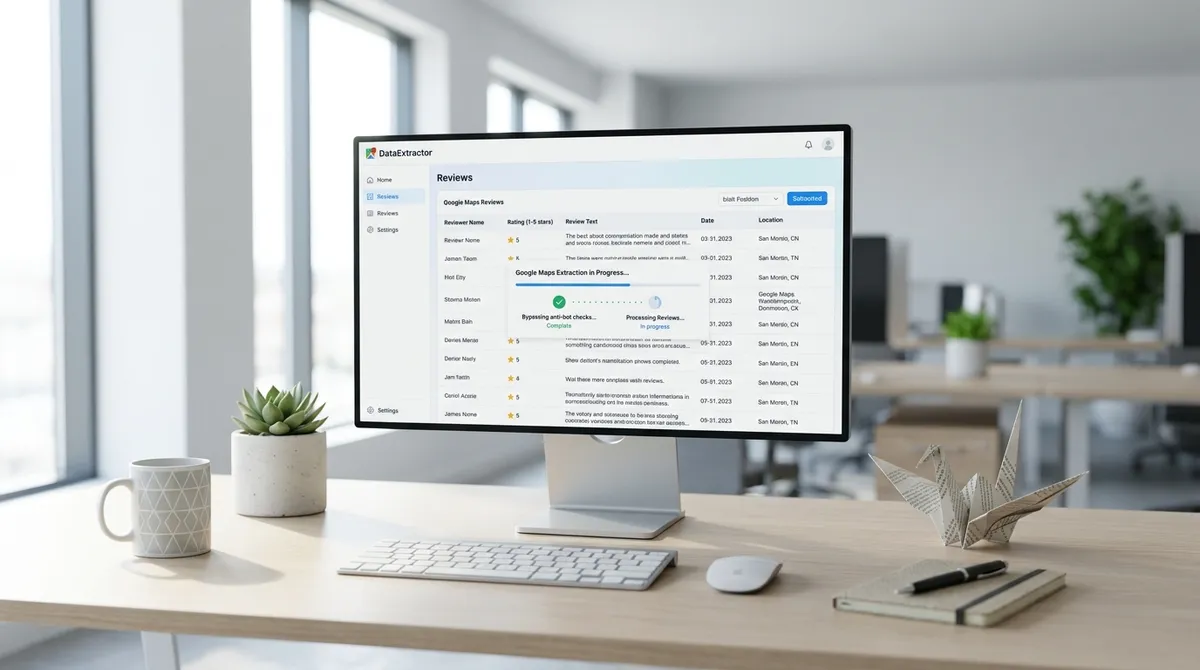
TL;DR: Google Maps review scraping is BROKEN for most people because Google treats review data like a fortress. Dynamic rendering, lazy-loading, rolling CSS class names, a February 2026 "Limited View" lockdown, and aggressive rate-limiting all conspire to return truncated, incomplete, or EMPTY review datasets. Fixing it means understanding each blocker and choosing the right extraction approach — or using a tool that already handles ALL of them.
scraping google maps
Google Maps holds review data for over 200 MILLION business listings across 195 countries — and about 67% of local consumers check it before deciding where to spend money, according to BrightLocal's 2024 Local Consumer Review Survey. But here's where the "it's just public data" logic hits a wall: Google Maps is a React-based SINGLE-PAGE application. The initial HTML response is essentially an EMPTY SHELL. Everything you see — the star ratings, the full review text, the reviewer photos, the "more" buttons — loads ASYNCHRONOUSLY after the JavaScript executes.
A plain HTTP request or a naive requests.get() call returns NOTHING useful. You're asking for the Eiffel Tower and getting a PARKING LOT. The platform's difficulty score sits at 90 out of 100 in the 2026 web scraping benchmark rankings from ScrapeOps, putting it in the same anti-bot tier as LinkedIn and Instagram. If your scraper is just sending GET requests and hoping for HTML, it's not scraping reviews — it's COLLECTING EMPTY DIVS. For a complete walkthrough of building a review scraper from scratch, see my step-by-step guide on how to scrape Google Maps reviews.
The first fix is OBVIOUS but frequently ignored: you MUST render JavaScript in a REAL browser environment. Headless Chrome via Playwright or Puppeteer is the baseline. Without a browser context that executes JavaScript, your "review scraper" will consistently return ZERO review text, and you'll spend hours wondering why your CSV is full of blank cells. Spoiler: it's not Google. It's you. (It was me too. I'm not judging.)
google maps review scraper
You'd think the official Google Places API would be the CLEANEST path. It's NOT. The Places API returns a maximum of FIVE reviews per place, with no way to paginate deeper via the standard API endpoint. FIVE. That's it. To get more, you need the Business Profile API — which requires OAuth 2.0, a verified Google Business Profile account, and EXPLICIT ownership or management access to each location. That rules out the ENTIRE lead-gen and competitive-intelligence use case overnight.
Here's the tradeoff in practice. The official API costs roughly $17 to $32 per 1,000 Place Details requests and returns NO email addresses. For lead generation, missing email is a DEALBREAKER. Third-party scrapers bypass this by simulating a browser session, extracting review text, ratings, dates, reviewer names, and even profile links DIRECTLY from the rendered DOM. The benchmark data from Agent Hustler's April 2026 comparison shows dedicated Google Maps scrapers hitting a 94% success rate at extracting full review data, compared to 78–82% for general-purpose scraping APIs with browser rendering.
So what does a WORKING review scraper actually extract? Let's look at the fields that matter.
| Field | Places API | Third-Party Scraper | Availability Rate |
|---|---|---|---|
| Review text (full) | Up to 5 per place | UNLIMITED (paginated) | ~92% |
| Star rating | Yes | Yes | ~98% |
| Review date | Yes | Yes | ~95% |
| Reviewer name | Yes | Yes | ~97% |
| Reviewer profile link | NO | Yes | ~88% |
| Review images | NO | Yes | ~65% |
| Owner response | NO | Yes | ~72% |
| Email address | NO | Yes (via website scan) | ~45% |
| Sort by newest/highest/lowest | NO | Yes | Programmatic |
The table tells a CLEAR story: if you need COMPLETE review data at scale, the official API is NOT your friend. It's designed for showing a representative snippet on a business profile page, not for bulk analysis or lead enrichment. The API gives you a TASTE. You want the WHOLE MEAL.
lead scraping
Reviews are not just vanity metrics. They are one of the most underused lead-scraping signals on the entire internet. Here's the logic chain that changed how I think about review scraping ENTIRELY.
A business with 200+ reviews and a 4.8-star rating is clearly investing in customer experience. They answer their phone, they respond to feedback, they care about their reputation. A business with 12 reviews and a 3.2-star rating is either NEW, disengaged, or STRUGGLING. Both are leads — but they require COMPLETELY different outreach approaches. The review count and rating tell you which businesses are worth prioritizing BEFORE you ever send a single cold email. It's like knowing whether someone's going to be excited to hear from you or annoyed — except the data is RIGHT THERE.
The bigger opportunity, though, is review text ITSELF. When a customer writes "I wish they had better parking" or "the website was confusing," that's a DIRECT signal. It's a GAP. A service you could offer. A pain point your agency can SOLVE. Scraping review text at scale lets you build a prospect list sorted by INTENT and dissatisfaction, not just by location or category. And if you're scraping against the 60-result limit of Google's Places API, you're getting CRUMBS. A functional scraper — using browser automation, pagination handling, and DOM-based extraction — can pull HUNDREDS of reviews per business across thousands of listings.
The B2B web scraping market is projected to reach $2.7 BILLION by 2027. Review data is a significant part of that growth, because reviews are the closest thing we have to organic, unsolicited market research at scale. It's like having millions of focus groups that you can read for FREE. Except the focus groups don't know you're reading.
google maps data scraping
Let's talk about what ACTUALLY breaks when you try to scrape Google Maps reviews in 2026. I've compiled the specific failure modes so you can diagnose your OWN setup without guessing. (Spoiler: it's ALWAYS one of these five things.)
Failure mode one: the empty review panel. Google Maps lazy-loads review content inside a scrollable container with the ARIA role feed. If your scroll logic targets window or document.body INSTEAD of the specific div[role='feed'] element, the page never triggers the lazy-load API calls. You SILENTLY extract zero reviews, and your output file has a header row with NOTHING underneath. This is the single MOST COMMON bug in DIY review scrapers. And the most frustrating, because you get NO error — just... nothing.
Failure mode two: selector breakage. Google's CSS class names for review elements are OBFUSCATED and change with each deployment. A class like MyEned that worked yesterday becomes fontDisplayLarge today. HARDCODED selectors are time bombs. The fix is to use attribute-based or content-based selectors — [aria-label*='stars'], button:has-text('More'), or text-matching patterns — rather than depending on class names that Google rotates on a schedule. It's like navigating by LANDMARKS instead of street signs that might get stolen overnight.
Failure mode three: the "Limited View" lockdown. In February 2026, Google rolled out a change that restricts review visibility for logged-out users on certain business profiles. Reviews are STILL present in the DOM but hidden behind a "Sign in to see reviews" overlay. If your scraper isn't authenticated or doesn't handle this overlay, it returns ZERO review text for affected listings. The bypass involves either maintaining a logged-in session or detecting the overlay and interacting with it. Google LITERALLY put a paywall on public data. Well, a sign-in wall. Same vibe.
Failure mode four: pagination traps. Google Maps review panels use an infinite-scroll pattern with a HIDDEN API. Scrolling triggers batches of roughly 10 reviews at a time. But after a certain depth — typically around 200 to 300 reviews — Google injects a CAPTCHA or rate-limits the scroll action. The scraper STOPS returning new data even though more reviews exist. Handling this requires randomized scroll intervals, session persistence, and CAPTCHA detection with fallback logic. Google's basically saying "you've had enough reviews for today."
Failure mode five: IP-based rate limiting. Google Maps review endpoints are AGGRESSIVELY rate-limited. Sending more than 50–100 requests from a single residential IP within an hour triggers a SOFT BLOCK: review data returns truncated, delayed, or replaced with "no reviews found." A proxy rotation system with a pool of at LEAST 20–50 IPs is mandatory for any scrape exceeding a thousand business reviews. The more IPs you have, the less Google knows it's YOU.
Here's a summary of the FIVE failure modes and how to fix them:
| Failure Mode | Symptom | Fix |
|---|---|---|
| Wrong scroll container | ZERO reviews extracted | Target div[role='feed'] SPECIFICALLY |
| CSS selector breakage | Missing fields after Google deploy | Use aria-labels, text content, or attribute selectors |
| Limited View overlay | Empty review text on logged-out sessions | Handle overlay detection or maintain auth session |
| Pagination CAPTCHA | Stops at ~200 reviews | Randomized scroll delays + CAPTCHA fallback |
| IP rate limiting | Truncated/delayed responses | Rotating proxy pool (20+ IPs minimum) |
If you've been fighting ANY of these, you already know how frustrating it is to watch a scraper run for hours only to produce a spreadsheet that looks like SWISS CHEESE — full of holes and disappointing. The good news is that each of these has a KNOWN fix. The bad news is that you need ALL FIVE fixes working simultaneously for reliable extraction. One weak link and your review data is COMPROMISED.
LeadsAgent is not a dedicated Google Maps review scraper. For B2B lead discovery, it offers an agentic, prompt-driven web workflow that discovers matching companies, gathers available public website and contact signals, enriches records, and reports field-level status for review. Do not position it as a review-pagination, sentiment-analysis, CAPTCHA-bypass, or anti-detection product.
For a deeper dive into why Google Maps scrapers typically return missing data in the FIRST place, check out my detailed breakdown on incomplete Google Maps data — it covers the structural reasons why certain fields vanish entirely depending on region, layout version, and authentication state. It's a wild ride.
FAQ
Why does my Google Maps review scraper return empty review text?
The MOST common cause is targeting the WRONG scroll container. Google Maps loads reviews inside a div[role='feed'] element, NOT the main window. If your scroll logic targets the window object, the lazy-loading API NEVER triggers, and you get ZERO review content. Switch your scroll target to the specific feed container. It's like looking for your keys in the kitchen when they're actually in the car — WRONG LOCATION.
How many reviews can I extract per business from Google Maps?
The official Places API returns a maximum of FIVE reviews. Third-party scrapers using browser automation with proper infinite-scroll handling and pagination bypass can typically extract 200 to 300 reviews before hitting CAPTCHA limits. With session rotation and proxy management, some tools push past 500 reviews per business. The range is FIVE to FIVE HUNDRED depending entirely on your approach.
Is scraping Google Maps reviews legal?
Google's Terms of Service prohibit automated scraping. HOWEVER, courts have consistently ruled that publicly available data — information visible to any user without authentication — is not protected by copyright or access controls in most jurisdictions. The legal risk is primarily around trespass to chattels and CFAA claims, which require proof of server damage or authorization circumvention. For lead generation and market research, the practical risk is LOW but not zero. Talk to a lawyer if you're nervous. (I'm not a lawyer. I just play one in my blog posts.)
What data fields can a review scraper extract beyond review text?
A properly built scraper can extract: star rating, review date, reviewer name, reviewer profile link, review images, owner response text, like count, and language. ADVANCED scrapers also pull the reviewer's total review count and Local Guides level for additional qualification. It's like getting the DIRT on the reviewer too — who they are, how often they review, whether their opinion matters more than average.
How do I handle Google's CAPTCHA during review scraping?
CAPTCHAs typically appear after 200–300 reviews in a single session. Solutions include: integrating a CAPTCHA-solving service (2captcha, Anti-Captcha), maintaining browser fingerprint CONSISTENCY across sessions, randomizing scroll delays between 2–7 seconds, and rotating residential proxies after each batch of 50 reviews. You're basically playing a game of "how human can my robot look?"
Does Google offer a legitimate API for review extraction?
Google offers the Places API (limited to 5 reviews per place), the Business Profile API (requires OWNERSHIP or management access to EACH location), and the My Business API (requires OAuth 2.0 and G Suite admin approval). NONE of these offer unlimited review extraction for competitive intelligence or lead generation use cases. Google's APIs are designed for businesses to show reviews on their OWN sites, not for you to analyze your competitors' data.
How often does Google change its review page layout?
Google's review DOM structure changes on a ROLLING basis. Major CSS class-name rotations happen roughly every 2–4 WEEKS. Structural layout changes (element positions, container hierarchies) occur less frequently, approximately every 3–6 months. Selector-based scrapers require ONGOING maintenance to survive these changes. It's like building a sandcastle at the beach — eventually, the tide (Google's frontend team) will wash it away.
What is the best approach for scraping reviews at scale in 2026?
The most reliable stack combines Playwright for browser automation with a rotating residential proxy pool, attribute-based selectors (NOT class names), CAPTCHA detection with fallback handling, and targeted scrolling on the review feed container. For B2B teams that do not need full review-history extraction, LeadsAgent offers a separate agentic workflow for discovering businesses and reviewing available company and contact signals before outreach.
Extracting complete Google Maps reviews in 2026 is less about writing clever code and more about understanding Google's SPECIFIC anti-scraping architecture — the right scroll target, the right selectors, the right proxy strategy, and the right tool for your volume. Once you solve for those, review data becomes one of the RICHEST lead-intelligence sources on the planet. And THAT is worth the hassle.