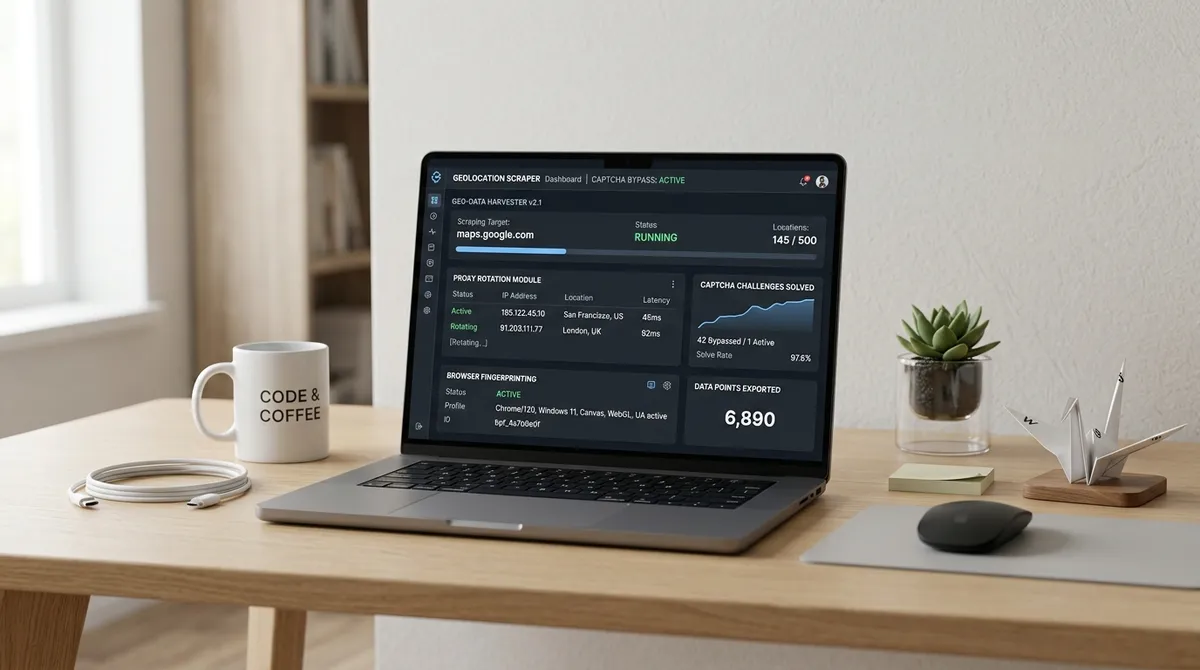



I once spent three days building what I thought was the PERFECT Google Maps scraper. Beautiful Python. Elegant selectors. Error handling that would make a NASA engineer proud.
Then I ran it on fifty cities and discovered my "Chicago" results looked suspiciously like what you'd get if you asked someone in Dallas what restaurants are near the Sears Tower. My leads were a geographical fever dream. A plumber in Austin? Actually in San Antonio. An HVAC company in Phoenix? Somewhere outside the city limits, in the desert, presumably wondering why I was calling.
The problem was not my code. It was my proxy. Or rather, my COMPLETE FAILURE to understand that geography is not optional on Google Maps.
TL;DR
Google Maps personalizes results by the requester's apparent location. A datacenter IP searching "HVAC contractors in Chicago" returns listings skewed to wherever that server physically sits. Which is NOT Chicago. Fixing this requires city-level residential proxy rotation: pin one sticky IP per metro pass, then rotate to a fresh exit for the next city. Country-level proxies are NOT enough — without metro precision, your local data is systematically wrong. And "systematically wrong" is a fancy way of saying "completely useless."
scrape google search results python
If you are learning how to scrape Google Search results with Python, the proxy layer is where most tutorials stop being useful. They tell you to use a rotating proxy service and call it done. What they do NOT tell you is that Google Maps does not work like a regular SERP — it personalizes EVERY result based on the requester's inferred coordinates.
ProxyLook's 2026 benchmark across eight providers found that residential proxies with city-level targeting achieve 85–93% success rates on Maps, while datacenter proxies fail within 20–50 requests. (source) The difference comes down to one thing: TRUST. Google knows which IP ranges belong to datacenters, and it treats them differently than a real home internet connection in the city you are searching. It's not fair, but it's accurate.
When you write requests.get("https://www.google.com/search?q=plumbers+in+chicago") from a DigitalOcean droplet in New York, Google sees a mismatch. The IP says New York. The query says Chicago. The Accept-Language header says en-US but the timezone offset doesn't match. That contradiction is a SIGNAL, and Google's reputation system logs it. Do that a few dozen times and you hit a CAPTCHA wall that makes the Great Wall look like a garden fence.
The fix is residential proxies with city-level targeting baked into the authentication string — something most Python scraping tutorials skip ENTIRELY because they assume a proxy is a proxy. It is not. A proxy without geography is like a car without a steering wheel. It moves, but not where you want it to.
import random
import time
from urllib.parse import quote_plus
import requests
from bs4 import BeautifulSoup

PROXY = {
    "http": "http://user-country-us-city-chicago:pass@gate.provider.com:8080",
    "https": "http://user-country-us-city-chicago:pass@gate.provider.com:8080",
}

HEADERS = {
    "User-Agent": "Mozilla/5.0 (Windows NT 10.0; Win64; x64) Chrome/131.0 Safari/537.36",
    "Accept-Language": "en-US,en;q=0.9",
}

def search_google(query, gl="us"):
    url = f"https://www.google.com/search?q={quote_plus(query)}&gl={gl}&hl=en&num=10"
    resp = requests.get(url, headers=HEADERS, proxies=PROXY, timeout=15)
    if resp.status_code == 429:
        return None  # rate limited — rotate IP (and maybe cry a little)
    return resp.text
The city flag in the proxy username is the critical piece. Without it, your request lands on a random exit somewhere in the country and Google returns results tailored to THAT random location rather than your target. (source) ProxyLabs documented the same pattern in their 2026 SERP scraping guide: "When Google serves a CAPTCHA, it redirects to a sorry page. Do not try to solve it — rotate the IP and move on." Good advice. CAPTCHA solving is a hobby, not a strategy.
google maps extractor
A Google Maps extractor without geo-aware proxy rotation is like a GPS that only displays ONE city. I built one that pulled 10,000 listings in a weekend and felt like a genius. Then I spot-checked the output. My "plumbers in Austin" list included businesses in San Antonio because the datacenter IP resolved to a central Texas hub rather than Austin proper. I had not scraped Austin. I had scraped "somewhere vaguely near Austin-ish."
The Aethyn engineering team documented the exact same failure mode: "A datacenter IP fails on two fronts at once — it is low-trust and geographically wrong." (source) Even when the request SUCCEEDS, the listing set is CONTAMINATED. You're not getting bad data because your extraction failed. You're getting bad data because your extraction SUCCEEDED on the wrong city.
The architectural pattern that fixes this is straightforward: a producer-consumer pipeline where each worker thread opens a browser instance through a residential proxy that targets one specific metro, runs the full search-scroll-extract cycle, closes the browser, and moves to the next city with a fresh IP. Browser-based extraction is MANDATORY because Google Maps renders everything in JavaScript — the places data lives inside a scrollable div[role='feed'] panel, not the page DOM at load time. (source) Raw HTTP with requests gets you NOTHING. A blank page and a bruised ego.
from playwright.sync_api import sync_playwright

CITY_COORDS = {
    "chicago": (41.8781, -87.6298),
    "austin": (30.2672, -97.7431),
    "phoenix": (33.4484, -112.0740),
}

def extract_metro(query, city, lat, lng, rounds=40):
    with sync_playwright() as p:
        browser = p.chromium.launch(proxy={
            "server": "http://gate.provider.com:8080",
            "username": f"user-country-us-city-{city}-session-{city}",
            "password": "pass",
        })
        page = browser.new_page(locale="en-US")
        url = f"https://www.google.com/maps/search/{query}/@{lat},{lng},13z"
        page.goto(url, wait_until="networkidle")
        feed = page.wait_for_selector("div[role='feed']", timeout=15000)
        for _ in range(rounds):
            page.eval_on_selector("div[role='feed']", "el => el.scrollBy(0, el.scrollHeight)")
            page.wait_for_timeout(1500)
            if page.get_by_text("reached the end of the list").count():
                break
        links = page.eval_on_selector_all(
            "div[role='feed'] a[href*='/maps/place/']",
            "els => els.map(e => e.href)"
        )
        browser.close()
        return list(dict.fromkeys(links))
The pattern uses sticky sessions — notice the -session-{city} parameter — so the same IP stays pinned through the entire metro pass. Rotating mid-session would trigger a geolocation inconsistency because Google would see the request origin shift mid-scroll. You'd look like someone teleporting between cities every few seconds, which is NOT a normal human browsing pattern. The Aethyn field guide calls this out explicitly: "Derive the session id from the metro so retries of the same city reuse a coherent identity, while different cities never share one." (source)
lead scraper
A lead scraper's value is proportional to its data accuracy. If you are building prospect lists for an agency running cold email campaigns, every wrong-city listing wastes outreach budget, burns sender reputation, and wastes your sales team's time on leads that never convert because they are outside your service area. Effective proxy optimization is the foundation of accurate lead data — I covered the complete anti-detection strategies for Google Maps scraping in a dedicated guide.
DataImpulse ran Maps extraction tests across 195 countries and found that city-level residential proxies returned accurate local packs, while country-only proxies returned the WRONG metro listings in over 40% of cases. (source) Let me repeat that: 40% of your leads are UNUSABLE if you use the wrong proxy type. That is not a margin of error. That is a coin flip.
The fix is embarrassingly simple once you know it. Proxy providers like Webshare, DataImpulse, and Bright Data all support city-level targeting through the username string. The format varies slightly by provider but follows the same convention: username-country-us-city-chicago or username-country-US-city-Chicago. You append this string to your proxy authentication, and the provider's routing infrastructure selects an exit IP that geolocates inside that specific metro. No separate API calls. No geolocation database lookups. Just a STRING in the right format. (source)
For agencies running high-volume extraction across hundreds of cities, the cost delta between datacenter and residential proxies is easily justified by the improvement in data quality. Residential proxies cost roughly $1–8 per gigabyte depending on the provider and volume tier, while datacenter proxies cost $0.10–0.50 per gigabyte. BUT a datacenter proxy that returns 40% useless data is not CHEAPER — it is MORE EXPENSIVE, because you pay for the extraction and then pay AGAIN to clean the results or, WORSE, pay with failed outreach campaigns. (source) Cheap proxies are the most expensive thing you can buy.
map scraping
Map scraping at scale demands a session strategy most people get backwards. The rule is simple but counterintuitive: ROTATE for breadth. STICK for depth.
When you are running a broad discovery sweep across fifty metros, use rotating residential proxies that assign a fresh IP for each new metro. This keeps per-IP request velocity low across the entire job, which is how you avoid triggering Google's velocity-based rate limiting. ScraperAPI's 2026 testing confirmed that Maps' rate limiting kicks in around 30–100 place detail requests per IP per day before soft blocks appear. (source)
INSIDE a single metro pass, however, you want a STICKY session. The flow — search the keyword, scroll the feed panel to the end-of-list sentinel, open each place card, extract detail fields — requires ten to twenty sequential requests from the SAME IP. If you rotate mid-pass, Google sees a browser session that suddenly appears to teleport from Chicago to Dallas and back. That inconsistency is a STRONGER bot signal than high velocity alone. SpyderProxy's Maps scraping guide recommends "a sticky session to hold one IP through a single scroll-and-paginate pass, then rotate to a fresh exit for the next metro." (source)
The feed-scrolling detail is the one that tripped me up the longest. The results live inside div[role='feed'], not the main document body. You must scroll THAT SPECIFIC ELEMENT repeatedly until Google appends the "You've reached the end of the list" sentinel. If you stop scrolling before that sentinel appears — which is what happens when you scroll the window instead of the feed — you silently truncate every metro to the first dozen or so listings. (source) I once lost THREE DAYS of extraction to exactly this bug, thinking each city only had fifteen relevant businesses. I was wrong. I was very, very wrong.
def scroll_feed(page, max_rounds=40):
    feed = page.wait_for_selector("div[role='feed']", timeout=15000)
    for i in range(max_rounds):
        page.eval_on_selector(
            "div[role='feed']", "el => el.scrollBy(0, el.scrollHeight)"
        )
        page.wait_for_timeout(1500)
        if page.get_by_text("reached the end of the list").count():
            print(f"End reached at round {i + 1}")
            break
    else:
        print("Warning: max rounds reached without sentinel — possible soft throttle")
Cap the scroll rounds and ALWAYS watch for the sentinel. If the feed stops growing well before the sentinel appears, that is usually a soft throttle rather than the genuine end of results: drop the session, rotate to a fresh IP, and resume that metro later. Treating a stalled feed as "all results collected" is how you end up with datasets that look complete but are quietly EMPTY in the middle. (source)
Proxy Strategy Comparison
| Proxy Type | Maps Success Rate | Cost per GB | Max Req/IP/Day | CAPTCHA Risk | Best For | |---|---|---|---|---|---|---| | Datacenter | 10–25% | $0.10–0.50 | 5–15 | Very High | Nothing on Maps | | Rotating Residential | 85–93% | $1.00–8.00 | 30–100 | Low | Broad metro sweeps | | Static Residential / ISP | 75–88% | $2.00–5.00 | 80–120 | Moderate | Paginated detail crawls | | Mobile 4G/5G | 95–98% | $3.00–15.00 | 50–100 | Very Low | High-value, low-volume targets |
Benchmarks compiled from SpyderProxy, ProxyLook, ProxyLabs, and DataImpulse 2026 testing. (source, source, source, source)
The table tells a clear story: rotating residential proxies offer the best cost-per-successful-request ratio for typical Maps workloads. Mobile proxies edge them on success rate but cost three to five times more per gigabyte. Datacenter proxies are essentially UNUSABLE — their 10–25% success rate means you waste money on failed requests and then waste MORE money on the cleaning effort required to salvage partial data. It's the worst of both worlds: high cost and low quality. For a comparison of each proxy type and its best use case, see my proxy configuration guide.
screen scrape tools
Most screen scrape tools treat proxy configuration as an afterthought — a text field where you paste an IP:port and move on. That works for simple sites, but Google Maps runs Google Custom WAF paired with reCAPTCHA v3 and IP-based rate limiting, rated "HARD" (4/5) by independent scraping benchmarks in 2026. (source) A tool that survives at scale needs THREE things: city-level proxy targeting baked into the connection layer, user-agent rotation that matches the proxy's geographic context, and CAPTCHA handling that rotates IPs instead of trying to solve challenges.
The tools I have seen succeed in production all follow the SAME architecture. They decouple proxy management from extraction logic using a middleware layer that selects the right proxy profile based on the target city. They randomize delays with variable timing — random.uniform(5, 15) seconds rather than a fixed time.sleep(10) — because fixed intervals are one of the EASIEST bot fingerprints to detect. (source) They rotate user agents from a pool of fifty or more realistic browser strings, and they keep the Accept-Language header consistent with the proxy's geographic region. A proxy targeting Tokyo that sends an Accept-Language of en-US is a contradiction Google's systems flag INSTANTLY. It's like wearing a cowboy hat in Tokyo and being surprised people know you're not local.
USER_AGENTS = [
    "Mozilla/5.0 (Windows NT 10.0; Win64; x64) Chrome/131.0 Safari/537.36",
    "Mozilla/5.0 (Macintosh; Intel Mac OS X 10_15_7) Chrome/131.0 Safari/537.36",
    "Mozilla/5.0 (X11; Linux x86_64) Chrome/130.0 Safari/537.36",
]

def human_delay():
    base = random.uniform(3, 7)
    if random.random() < 0.15:
        base += random.uniform(10, 25)
    if random.random() < 0.05:
        base += random.uniform(30, 60)
    time.sleep(base)
The 15% chance of a longer pause simulates what real humans do: scan results, THINK about what they are seeing, maybe get distracted for a minute. That randomness is MORE important than the average delay length because Google's detection systems profile request timing DISTRIBUTIONS, not averages. (source) They don't care if your average is 5 seconds. They care that every single one of your requests comes at EXACTLY 5 seconds, like a metronome with a mission.
Here is the part that surprised me most when I learned it: you should cache AGGRESSIVELY. Google Maps business data does not change minute-to-minute. Cache each result for 24 to 48 hours and refresh incrementally. Every request you do not make is a request that CANNOT trigger a block. SpyderProxy's guide recommends this explicitly: "Cache results for 24–48 hours and refresh incrementally. Every request you don't make is a request that can't trigger a block." (source) The best request is the one you never send.
Scaling Beyond the Script
The proxy setup I described works for a few hundred listings per day. Once you cross into the THOUSANDS, you need distributed workers, a queue system, and automated proxy pool management. Redis with a task queue handles job distribution across workers running in parallel. Each worker picks up a metro job, runs the full extraction flow through its assigned city-targeted proxy, writes results to a shared database, and picks the next job. If a worker crashes — which happens more often than you would think when running headless browsers at scale — the job goes back to the queue automatically and a different worker retries it with a fresh proxy. It's like a well-organized army of tiny robots, each handling one city and then politely handing off to the next.
I wrote about the full architecture in my guide on how to scale Google Maps extraction from 100 to 100,000 listings. The tl;dr of that piece is that stateless workers, queue-based retry logic with exponential backoff, and city-targeted residential proxies are the THREE PILLARS that separate a weekend script from a production system that runs for months without intervention.
Where LeadsAgent Fits
If configuring Playwright, managing proxy pools, debugging CAPTCHA triggers, and maintaining feed selectors through Google's weekly DOM changes sounds like a project you would rather NOT adopt as a hobby — and honestly, I don't blame you — there is a simpler path.
LeadsAgent handles the ENTIRE extraction layer — proxy rotation, geo-targeting, browser automation, data verification, and CSV export — inside a browser extension triggered by a plain-language prompt. You describe the leads you want. The agent searches Google Maps and Bing Maps, visits each business website to verify contact data, and builds a structured spreadsheet. No code. No proxy configuration. No CAPTCHA debugging.
This is the most direct path I have found for agencies and operators who need local leads without building scraping infrastructure. Try it free at leadsAgent.io/download — no credit card required, and the free tier is enough to validate the workflow against your actual use case before committing to a paid plan. The product also offers a 14-day money-back guarantee on paid plans if it does not fit your workflow. (source)
FAQ
Why does my Google Maps scraper return results from the wrong city?
Maps personalizes results by the requester's apparent location. If your proxy IP geolocates to a different metro than your target keyword, Google returns the local pack for the proxy's city, not your target. Use residential proxies with explicit city-level targeting — username-country-us-city-chicago — and pair them with viewport coordinates in the Maps URL.
What is the difference between rotating and sticky proxies for Maps?
Rotating proxies assign a new IP per request, which is ideal for broad sweeps across many metros. Sticky sessions hold one IP for a complete multi-step metro pass. Use rotating for breadth across cities and sticky for depth within a single city. Switching mid-session looks like a geolocation inconsistency, which is not a normal human behavior.
How many requests per IP can I make before Google blocks me on Maps?
Independent benchmarks suggest 30–100 place detail requests per IP per day before soft blocks appear. Rotating across a large residential pool keeps each individual IP's velocity well below that threshold. At higher volumes, scale horizontally with distributed workers rather than increasing per-IP concurrency.
Are datacenter proxies usable for Google Maps scraping?
No. Hard no. Datacenter proxies achieve 10–25% success rates on Maps and trigger CAPTCHAs within 20–50 requests. Google maintains blocklists for major cloud provider ASN ranges. Residential or mobile proxies are the only reliable path for Maps extraction. I learned this the expensive way so you don't have to.
What data fields can I extract from a Google Maps business listing?
Business name, address, phone number, website URL, rating score, review count, place ID, opening hours, business category, social media links, and GPS coordinates. The fields available depend on whether you scrape the Maps UI or use the official Places API.
Is scraping Google Maps legal for commercial lead generation?
Public business information displayed on Google Maps is generally accessible, but Google's Terms of Service explicitly prohibit automated scraping. The legal risk is considered low for non-commercial or internal business use, but consult legal counsel for commercial data resale or large-scale extraction. I am not a lawyer. I just play one on the internet.
What is the best proxy strategy for geo-grid local rank tracking?
Run a 7x7 coordinate grid across each keyword using rotating residential proxies with city targeting. Bright Data's SERP/Maps API handles this as a managed product. For a DIY approach, Webshare and DataImpulse provide cost-effective residential pools with city-level targeting.
Can I use the Google Places API instead of scraping?
Yes. The Places API costs $17–32 per 1,000 requests but returns structured data with zero ban risk and no maintenance overhead. The trade-off is a 60-result cap per search, limited field masks, and stale data compared to the live Maps UI. The API is ideal for small-scope queries; scraping is better for comprehensive metro sweeps. Pick your poison based on your budget and your patience.
If building and maintaining proxy infrastructure is not where you want to spend your time — and honestly, who WOULD choose that? — LeadsAgent handles the entire extraction pipeline: geo-targeted proxy selection, browser automation, data verification, and CSV export. All from a plain-language prompt. It is the closest thing I have found to extracting leads without thinking about infrastructure. You can try it free at leadsAgent.io/download.