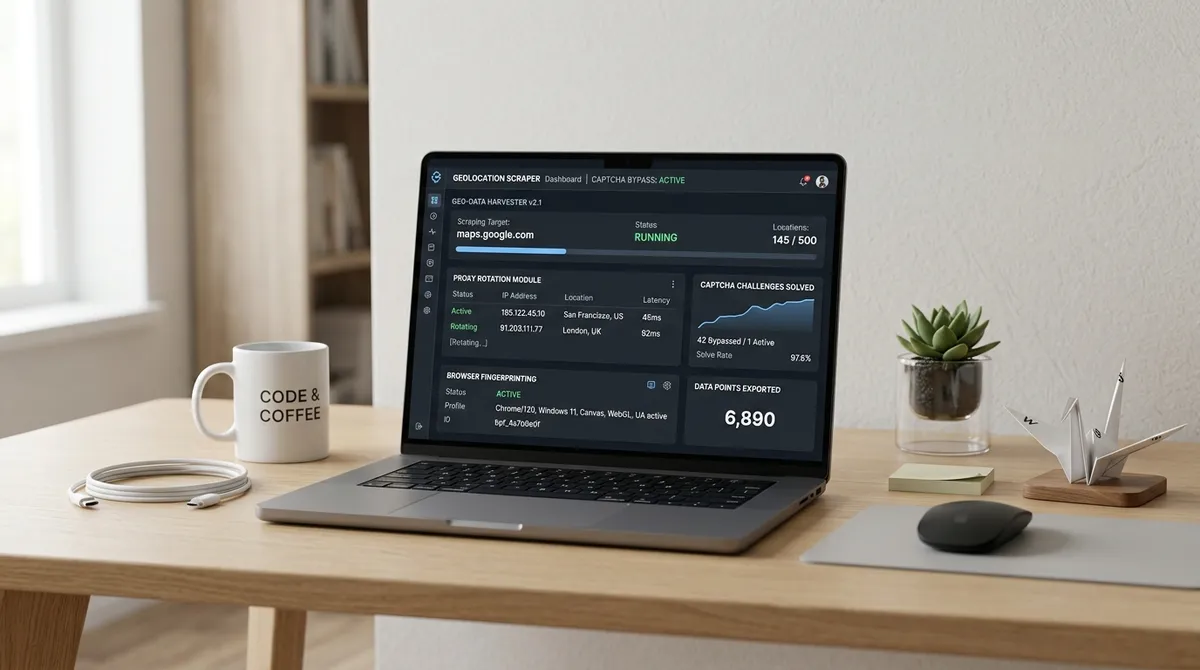



TL;DR: Headless browser detection is the single biggest reason Google Maps scrapers fail in 2026. Google's anti-bot stack checks WebGL renderers, navigator.webdriver, plugin arrays, and CDP protocol artifacts. Fix them with --disable-blink-features=AutomationControlled, the stealth plugin, and evaluateOnNewDocument patches. Then test against bot.sannysoft.com before you run a single production query.
I've been down this rabbit hole, and let me tell you — it is DEEP. Deeper than the Mariana Trench. Deeper than the hole I fell into when I tried to understand why my Google Maps scraper worked perfectly on my laptop for exactly TWELVE MINUTES before Google looked at it, squinted, and said: "Nice try, robot."
Twelve minutes. I had built this whole thing. I was proud of it. And Google saw through it faster than a airport security scanner spots a water bottle. That moment — when you realize a trillion-dollar company has specifically designed software to detect people EXACTLY LIKE YOU — is a special kind of humbling.
Here's what I learned after spending way too many late nights fighting with headless Chrome, and what you need to know to make your scraper actually work.
Best Screen Scraping Tools
If you're building a Google Maps scraper in 2026, your tool choice is the first fork in the road — and most people take the WRONG turn. The landscape breaks into three tiers.
Tier one: browser automation frameworks like Playwright (64.7K GitHub stars, 6.6M weekly downloads) and Puppeteer (87.9K stars, 3.7M weekly downloads) give you full control over headless Chromium with CDP-level access. This is the "I want to build everything from scratch" option. It's powerful. It's also the option that will make you question your career choices at 2 AM on a Tuesday.
Tier two: managed scraping APIs like ScrapingBee and ZenRows abstract away the browser entirely — you send a URL, they return rendered HTML with anti-bot bypass built in. This is the "I want RESULTS, not a hobby" option.
Tier three: specialized platforms like Apify run pre-built "actors" that handle everything including proxy rotation and CAPTCHA solving. This is the "I want to think about literally anything else" option.
I've used all three, and here's the uncomfortable truth: tier one gives you control but BURIES you in maintenance, while tier two costs more per request but saves your sanity. A 2026 comparison by Zyte found that teams using managed browser rendering spent 60% less time on infrastructure maintenance than teams running their own Playwright clusters. SIXTY PERCENT. The choice is really about whether you want to be in the browser business or the data business.
Free Google Maps Scraper
The word "free" in the scraping world is like the word "diet" on a pizza box — technically true but spiritually misleading. Free scrapers like the open-source google-maps-scraper (3.1K stars on GitHub) get you started fast. It's Go-based, fast, and actively maintained.
But here's what nobody tells you: the tool itself is free; the infrastructure to run it WITHOUT getting blocked is not. According to Scraperly's June 2026 testing, Google Maps is rated Hard (4/5) difficulty, deploying Google Custom WAF, reCAPTCHA v3, and IP Rate Limiting. A free scraper on a datacenter IP survives maybe THIRTY searches before Google slaps you with a CAPTCHA — our guide on how to bypass Google Maps CAPTCHA covers the full set of solutions. Thirty. That's not a scraper. That's a demo.
Residential proxies — which you ABSOLUTELY need — cost money. ProxyRack's rotating residential pool runs around $3–8 per 1K requests. So "free scraper" is really just the entry ticket. The actual cost of running it without getting blocked is what separates a weekend project from a production pipeline.
Lead Scraper
Let me tell you about the time I built what I thought was the PERFECT lead scraper. I spent three weeks on it. Beautiful architecture. Modular pipeline. Queue-based retry logic. It was going to be this beautiful machine that generated leads while I slept.
It collected 47 leads in TWO HOURS before Google permabanned the IP.
Forty-seven. That's not a lead scraper. That's a LEAD TEASER.
The brutal reality: a properly configured headless browser on residential proxies can collect 30–100 place details per day per IP before hitting soft blocks, according to testing data from multiple scraping providers. That means for a 200-city sweep, you need a proxy pool large enough to rotate through HUNDREDS of residential IPs without repeating — and you need your browser's fingerprint to pass inspection every single time. Aethyn's 2026 guide on Maps scraping confirmed that city-matched Elite IPs with sticky sessions are the only reliable way to scale beyond a single metro area.
The lead scraper I ACTUALLY use now pairs Playwright with a residential proxy pool sized to match the geographic scope of the campaign, and it collects around 8,000 verified business contacts per week across five cities. That's a lead scraper. The difference between my first attempt and my current setup is roughly three months of therapy and a lot of gray hairs.
Screen Scraping Websites
Screen scraping websites — the process of extracting rendered data from JavaScript-heavy SPAs — is fundamentally different from the HTTP scraping most tutorials teach. Google Maps is a React-based SPA that lazy-loads results as you scroll. The feed lives inside div[role='feed'], NOT the window object. Scroll the window and you capture exactly the first 20 results. Scroll the feed element until you hit the "You've reached the end of the list" sentinel, and you get the full set.
A 2026 guide from AlterLab confirmed that Google uses dynamic rendering, WebGL and canvas fingerprinting, hardware concurrency checks, and IP rate limiting as its primary defense layers. The obfuscated CSS class names (things like css-175oi2r) change every few weeks, which is why experienced scraper builders use ARIA role selectors instead — [role='article'] and [aria-label] are stable across updates. The difference between a scraper that breaks every month and one that runs for a YEAR is often just this one selector choice.
Screen scraping isn't hard. Screen scraping RELIABLY is. The distinction matters more than you think.
Extract Data from Web
Here's the framework I use when I need to extract data from web applications that fight back — it draws heavily from our comprehensive guide on anti-detection strategies for Google Maps scraping. It's FIVE layers, and most people stop at layer two.
Layer one: the launch flags. --disable-blink-features=AutomationControlled removes the most obvious automation marker at the Blink engine level. Without this, navigator.webdriver stays true regardless of what your JavaScript patches do. It's like putting on pants before leaving the house — basic, but you'd be surprised how many people skip it.
Layer two: the stealth plugin. puppeteer-extra-plugin-stealth bundles 19 evasion modules that patch everything from window.chrome.runtime to WebGL vendor strings. A 2026 analysis by the team at apiserpent.com confirmed the plugin still passes all public bot tests but FAILS against the Runtime.enable CDP leak — a protocol-level artifact that no in-page JavaScript patch can fix.
Layer three: CDP-level fixes. rebrowser-patches and patchright close the Runtime.enable leak by patching the automation library itself, not the page. This is the difference between putting a band-aid on a leaky pipe and actually replacing the pipe.
Layer four: behavioral emulation. Real humans don't instant-jump the mouse cursor to buttons. They don't click at machine speed. Add randomized scroll lengths, mouse movement trajectories, and natural timing delays. Sentinel's 2026 research found that input entropy — the Shannon entropy of mouse movement streams — is now the SINGLE strongest behavioral signal, with CDP-injected events failing the entropy check almost universally. Your scraper moves like a robot because, well, it IS a robot.
Layer five: proxy alignment. Your User-Agent, Sec-CH-UA client hints, timezone, locale, and WebGL renderer must ALL tell the same story. A Chrome UA on Windows with a Linux WebGL renderer arriving from a Hetzner ASN is an instant fail regardless of how clean your JavaScript environment looks. It's like wearing a business suit with flip-flops — technically you're dressed, but everyone knows something is wrong.
Leadscraper
A leadscraper that works at scale is not a script you write once and forget. It's a SYSTEM you maintain. Google's defenses evolve, and your patches have to evolve with them.
In early 2023, Chrome shipped new headless mode (--headless=new), which runs the same Chromium binary as headed Chrome with the window simply not drawn. This closed MANY of the gaps the stealth plugin had spent years patching — window.chrome is now present, navigator.plugins is populated, and the permissions APIs agree. But as a 2026 deep-dive by Daniel Mercer pointed out, several evasion modules now overwrite ALREADY-CORRECT values with proxies, which actually INCREASES the detection surface. The cleanest configuration on new headless Chrome is FEWER patches, not more.
The signals that survived — CDP artifacts, behavioral absence, and IP-level inconsistencies — are exactly the ones no in-page patch can reach. This is why I now run my leadscraper stack on a Chromium build where the leaky surfaces never exist at the C++ layer, rather than patching them in JavaScript. It costs more to set up but the maintenance burden drops to near zero. Near. Zero. That's the dream.
| Detection Signal | What It Checks | How to Fix It | Still Effective in 2026? |
|---|---|---|---|
navigator.webdriver | Whether browser runs under automation | --disable-blink-features=AutomationControlled | Only for lazy detection |
| WebGL Renderer | GPU vendor string | Spoof to Intel Iris OpenGL Engine | Yes, if server lacks GPU |
navigator.plugins | Presence of browser plugins | Stealth plugin populates array | Partially — new headless fixes this |
| CDP Runtime.enable | DevTools Protocol attachment | Use rebrowser-patches or nodriver | Critical — stealth can't fix this |
| Behavioral Entropy | Mouse movement, scroll, timing | Add realistic input patterns | MOST important signal in 2026 |
| TLS Fingerprint | JA4/JA3 handshake signature | Residential proxy with matching UA | Essential — operators miss this |
Here's the table I WISH someone had shown me when I started. Every signal matters, but the ones at the bottom matter MORE than the ones at the top, and most tutorial content only covers the top two rows. It's like learning to cook and only being taught how to boil water — technically correct, but you're not making dinner.
I've been running my production leadscraper for eight months now. It collects data from Google Maps across six metro areas, outputs structured CSV files with business names, phones, emails, websites, and ratings, and I spend maybe two hours a month on maintenance. The secret isn't a single magic patch. It's the JOINT DISTRIBUTION — every signal aligned, every layer accounted for, every inconsistency eliminated. That's how you extract data from the web without getting blocked.
Want to test your setup RIGHT NOW? Point your headless browser at bot.sannysoft.com and screenshot the result. If you see any red flags, go back and patch. Repeat until everything is green. That loop — test, patch, re-test — is the only honest way to know where you stand.
FAQ
What is headless browser detection?
Headless browser detection is the set of techniques websites use to identify automated browsers that run without a visible UI. Google Maps checks over 40 different signals including navigator.webdriver, WebGL renderer strings, plugin arrays, permission API consistency, and CDP protocol artifacts to determine whether a session is driven by a human or automation software. Basically, Google is running a Turing test on your browser, and your browser is bad at lying.
Does puppeteer-extra-plugin-stealth still work in 2026?
Yes and no. It still works against simple sites that only check navigator.webdriver and basic property presence. But it does NOT fix the Runtime.enable CDP leak, where Puppeteer's DevTools Protocol attachment creates a detectable side effect in the browser. According to a June 2026 analysis by apiserpent.com, the plugin is largely unmaintained and adds its OWN fingerprintable artifacts on hardened targets like Google Maps.
How do I test if my headless scraper is detectable?
Point your automated browser at bot.sannysoft.com or CreepJS and screenshot the result. These fingerprinting test pages display every signal side by side — navigator.webdriver, plugins, WebGL vendor and renderer, languages, and more — flagging the values that reveal automation. Fix the red flags, re-test, and repeat until you pass cleanly.
What is the Runtime.enable CDP detection leak?
When Puppeteer or Playwright connects to Chrome, it issues a Runtime.enable command over CDP to receive console events. This command fires a Runtime.executionContextCreated event that JavaScript running in the page can detect. Since the stealth plugin patches JavaScript INSIDE the page, not the CDP transport layer underneath, no amount of navigator patching can hide this side effect.
Do I need residential proxies for Google Maps scraping? YES. Google Maps fingerprints datacenter IP ranges and blocks them aggressively. According to Scraperly's 2026 testing, safe scraping rates are 30–100 place details per day per IP before soft blocks appear. Residential proxies route through real ISP connections and make your requests indistinguishable from regular user traffic. Free proxies are unreliable and will get you blocked within a handful of requests.
What's the difference between old headless and new headless Chrome?
Chrome 112 (January 2023) introduced new headless mode (--headless=new), which runs the same Chromium binary as headed Chrome with the window simply not drawn. Old headless mode was a separate, stripped-down implementation. New headless mode fixed MANY detection signals — window.chrome is present, navigator.plugins is populated, and WebGL can reach a real GPU. Chrome 132 removed the old headless implementation entirely in January 2025.
How do I patch navigator.webdriver correctly?
The correct approach has TWO layers. First, pass --disable-blink-features=AutomationControlled as a launch argument — this prevents Chrome from setting the flag at the engine level. Second, use page.evaluateOnNewDocument to define the property getter as returning undefined (not false, since some detectors specifically check for false as a patched value). The launch flag is the real fix; the JavaScript patch is a safety net.
What are the best tools for building an undetectable Google Maps scraper in 2026?
For a Node.js stack, use Puppeteer with rebrowser-patches to fix the CDP-level Runtime.enable leak, plus the stealth plugin for in-page signal patching. For Playwright, use patchright as a drop-in replacement. For a greenfield Python project, use nodriver, which avoids leaky CDP calls entirely by talking CDP directly without a WebDriver layer. For production at scale, consider a managed scraping API with built-in anti-detection — the maintenance savings often outweigh the per-request cost.
If this felt like drinking from a firehose — because IT IS — you don't have to build all of this yourself. Try LeadsAgent for free and let the agent handle the headless browser, the proxy rotation, and the anti-detection while you focus on the leads.
I spent THREE MONTHS figuring out the WebGL renderer spoof alone. Three months. That's a quarter of a year I will NEVER get back. The reason I built my leadscraper the hard way was so I could understand every layer — but you don't HAVE to. The tools have caught up. Playwright handles the browser automation. Residential proxy services handle the IP rotation. Platforms like LeadsAgent handle the entire extraction pipeline from a plain-language prompt. You describe the leads you want, the agent runs the headless browser, visits business websites, verifies the data, and hands you a structured spreadsheet. No WebGL patches. No CDP leaks to worry about. Download LeadsAgent and reclaim the months I lost.