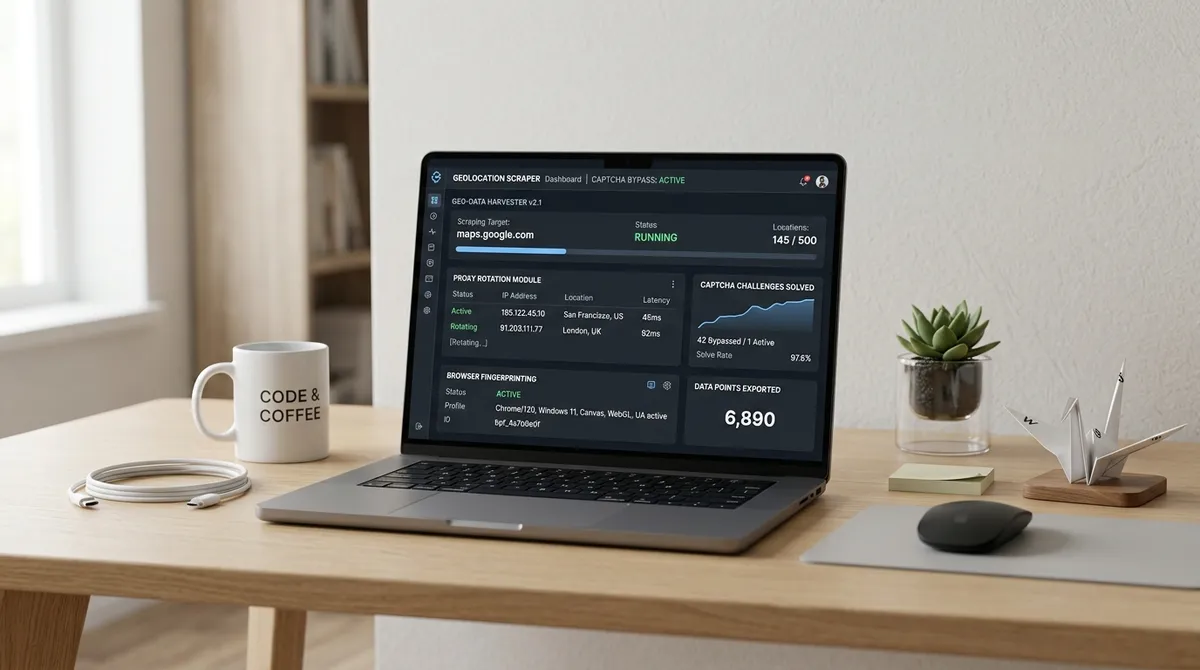
Most scraping tools ask you to point, click, configure selectors, handle pagination, and debug when something breaks. Agentic scraping flips the entire model: you describe what you want in plain English, and an AI agent handles every step — from searching to filtering to exporting. No human input required after the initial prompt.
TL;DR: Agentic scraping uses autonomous AI agents to extract structured data from the web without manual configuration. By 2026, an estimated 60% of web scraping tasks will be automated by LLMs (ScrapeGraphAI, 2025). For B2B lead generation, this means going from "I need electricians in Miami without a website" to a clean CSV of 50+ verified leads in under 10 minutes — with zero human involvement after pressing start.
How Is Agentic Scraping Different From Traditional Web Scraping?
Traditional web scraping — the kind that's dominated data collection for two decades — is rule-based. You define CSS selectors, write XPath queries, configure pagination logic, and build error handling for when websites change their layouts. According to Kadoa, AI-powered scrapers reduce maintenance effort by up to 85% compared to these traditional rule-based approaches.
Agentic scraping replaces all of that with natural-language instructions and autonomous execution.
| Dimension | Traditional Scraping | Agentic Scraping |
|---|---|---|
| Input | CSS selectors, XPath, code | Natural language description |
| Configuration | Manual per-site setup | Automatic — AI interprets page structure |
| Maintenance | Breaks when site layout changes | Self-adapting — AI reads new structures |
| Human involvement | Constant monitoring required | Set and forget |
| Technical skill | Developer-level | None required |
| Output | Raw data requiring cleanup | Structured, export-ready data |
The shift isn't incremental. It's a category change. Traditional scrapers are tools. Agentic scrapers are workers — they understand context, make decisions, and complete tasks independently.
Our finding: The term "agentic" isn't marketing fluff — it describes a specific technical architecture. An agentic system can reason about what it's seeing, decide what to do next, and adapt when something unexpected happens. Traditional scrapers fail silently when a page changes. Agentic scrapers notice the change and adjust their approach.
How Does Agentic Scraping Actually Work?

The workflow is three steps. Not three steps with 47 sub-steps hidden behind each one — genuinely three steps.
Step 1 — Describe What You Want
Open an agentic scraping tool — like the LeadsAgent Chrome extension — and type your request in plain language:
"Find me HVAC contractors in Chicago without a website"
The AI parses your intent. It understands "HVAC contractors" is the search query, "Chicago" is the location, and "without a website" is a filter condition. No dropdown menus, no configuration panels, no API keys.
Step 2 — The Agent Executes Autonomously
This is where agentic scraping diverges from everything that came before it. After you press start:
- The AI agent opens Google Maps and executes the search
- It scrolls through results, loading additional listings as needed
- For each listing, it checks whether a website URL exists
- It extracts business name, phone number, address, star rating, and review count
- It applies the no-website filter and discards non-matching results
- It continues until the search area is exhausted or your quota is reached
All of this happens in the browser, in real-time, without you touching anything. You can switch tabs, check email, grab coffee. The agent doesn't need supervision.
Over 40% of enterprise applications are projected to embed task-specific AI agents by the end of 2026, up from less than 1% in 2024 (Gartner, 2025). Lead generation is one of the highest-leverage applications of this shift.
Step 3 — Download Your Results
When the extraction completes, you get a notification. Click download and receive a structured CSV file with every qualifying lead. Each row is a verified business with:
- Business name
- Phone number (direct line)
- Full address
- Star rating
- Review count
- Website status (blank = no website)
Import directly into your CRM, cold email tool, or outreach spreadsheet. No data cleaning required.
Why Does Agentic Scraping Matter for B2B Lead Generation?
The AI-driven web scraping market is projected to expand from $7.48 billion in 2025 to $38.44 billion by 2034 (ScrapingAPI, 2025). That growth isn't driven by developers wanting fancier tools — it's driven by business operators who need data without the technical overhead.
For B2B lead generation specifically, agentic scraping solves three persistent problems:
Problem 1 — Speed
Manual prospecting on Google Maps takes approximately 3–5 minutes per lead when you factor in searching, clicking, checking for a website, copying data, and moving to the next listing. At that rate, building a 50-lead list takes 2.5–4 hours.
An agentic scraper does the same work in 8–12 minutes. That's not a marginal improvement — it's a 15–20x acceleration.
Problem 2 — Consistency
Humans get tired, skip listings, make copy-paste errors, and lose focus after the first hour. Agents don't. Every listing is checked with the same criteria, every data point is extracted in the same format, and nothing is missed.
AI-powered data extraction achieves accuracy rates up to 99.5%, compared to manual processes which typically hover around 85–90% due to human error (ScrapingAPI, 2025). In B2B outreach, that 10% accuracy gap means bounced emails, wrong phone numbers, and wasted time.
Problem 3 — Scalability
Running one extraction is useful. Running 20 extractions across different niches, cities, and filters is where the pipeline gets serious. An agentic approach makes this trivially easy — each new extraction is just a new sentence typed into the prompt.
Compare that to traditional scraping, where each new target requires new selectors, new pagination logic, and new debugging.
What Makes LeadsAgent the First Agentic Scraper Extension for B2B?
LeadsAgent isn't a cloud API. It's not a Python library. It's a browser extension that runs directly in Chrome or Edge — and it's built from the ground up as an agentic system.
What that means in practice:
- Natural language input — you describe your lead target exactly as you'd tell a human assistant
- Autonomous execution — the agent navigates Google Maps, scrolls, clicks, extracts, and filters without intervention
- No-website filter built in — the filter that makes this most valuable for agencies is native, not a workaround
- Export-ready output — CSV with consistent columns, clean data, ready for your next step
- Self-sufficient operation — runs in the background while you work on other things
The average time savings when using an AI agent compared to manual task completion is 66.8% (First Page Sage, 2025). For lead prospecting specifically, the savings are even higher because the manual alternative involves so much repetitive clicking and scrolling. (We put this to the test in our post on finding plumbers without a website in under 5 minutes — 65 qualified leads before your coffee finishes brewing.)
For a broader look at how LeadsAgent fits into a complete agency workflow, see our Google Maps scraper guide for lead gen agencies.
Who Should Care About Agentic Scraping Right Now?
This isn't a technology looking for a problem. Three audiences benefit immediately:
Web Design Agencies
Agencies selling websites to local businesses use the no-website filter to build prospect lists that are pre-qualified by definition. Every lead on the list provably needs what you're selling.
Read our full playbook: How to find clients for your web design agency using Google Maps.
B2B Sales Operators
Sales teams that prospect via Google Maps — for local services, SaaS targeting SMBs, or any account-based play focused on small businesses — can reduce their research time from hours to minutes while improving data accuracy.
Marketing Agencies
Agencies running cold outreach for clients need fresh lead lists regularly. Agentic scraping turns list-building from a billable task into a 10-minute process, freeing up your team for higher-value strategic work.
Companies leveraging AI-powered sales tools report a 50% increase in lead generation and a 25% boost in conversion rates (SuperAGI, 2025). The agencies that adopt agentic tools first will have a structural advantage in client acquisition costs.
Is Agentic Scraping the Future of Data Collection?
Short answer: for structured B2B data, yes.
The trajectory is clear. Traditional rule-based scrapers are high-maintenance, brittle, and require developer skills. AI-native scrapers are zero-maintenance, adaptive, and require only the ability to describe what you want.
The remaining friction points — anti-bot protections, rate limiting, JavaScript-heavy pages — are being solved by browser-based agents that operate exactly like a human user. An extension running in your own browser, using your own IP, behaves identically to you manually browsing Google Maps. That's the architecture LeadsAgent uses, and it's why the results are reliable.
By the end of 2026, the distinction between "using a tool" and "delegating to an agent" will be the primary way businesses choose their data collection infrastructure. The companies that make that shift early will own the efficiency advantage.
Frequently Asked Questions
Is agentic scraping legal?
LeadsAgent extracts publicly available business information from Google Maps — the same data anyone can see by searching manually. All processing happens locally in your browser. You're responsible for using the data in compliance with applicable laws (GDPR, CAN-SPAM, CCPA). For B2B outreach using publicly listed business contact details, this is standard practice in most jurisdictions.
Do I need coding skills to use an agentic scraper?
No. The entire point of agentic scraping is that you interact through natural language. Type what you want, press start, and download your results. If you can write a text message, you can use an agentic scraper.
How is this different from tools like Apify or Outscraper?
Apify and Outscraper are cloud-based APIs that require developer setup, API keys, and often per-record pricing. LeadsAgent runs in your browser as a Chrome/Edge extension with a free tier of 1,000 leads per month. The agentic architecture means no configuration — you describe your search in plain language instead of writing code or configuring API parameters. (For detailed feature comparisons, check out LeadsAgent vs Apify and LeadsAgent vs Outscraper.)
How many leads can I extract for free?
LeadsAgent's free plan includes 1,000 leads per month with full export capabilities. No credit card required. For most agencies running targeted extractions, that's 3–5 complete prospecting sessions per month.
Can I extract data from sources other than Google Maps?
Currently, LeadsAgent is optimised for Google Maps — the richest source of local business contact data. Google Maps contains verified phone numbers, addresses, ratings, reviews, and website status for hundreds of millions of businesses globally.
Start Extracting Leads Without Lifting a Finger
Agentic scraping isn't a future technology. It's here, it's free to start, and it turns your lead prospecting from a manual chore into a delegate-and-forget workflow.
Key takeaways:
- Agentic scraping uses AI agents to extract web data — no code, no configuration, no human involvement after the initial prompt
- 60% of web scraping tasks projected to be automated by LLMs by 2026
- AI-powered extraction achieves 99.5% accuracy vs. 85-90% for manual processes
- LeadsAgent is the first browser extension built on an agentic architecture for B2B lead generation
- Free tier: 1,000 leads/month, no credit card
Install LeadsAgent free and run your first agentic extraction in 2 minutes.
Read next
To see agentic AI in action with a before-and-after comparison of manual vs. automated lead research:
How Agentic AI Replaced 10 Hours of Manual B2B Lead Research →
For a step-by-step guide on using extracted data to sell websites to local businesses:
Sell Websites to Local Businesses: The Data-Backed Prospecting Guide →