A Google Maps scraper is one of those tools that sounds simple on the surface but can go quite differently depending on which one you pick and how you use it. This guide covers the full picture — what a Google Maps scraper actually does, how the major tools compare, and what a functioning agency workflow looks like week to week.
If you are building this out for the first time, start with our basic extraction guide — it covers the core workflow. This post goes deeper on the agency side: comparison, data tiers, compliance, and repeatable operations.
What is a Google Maps Scraper?
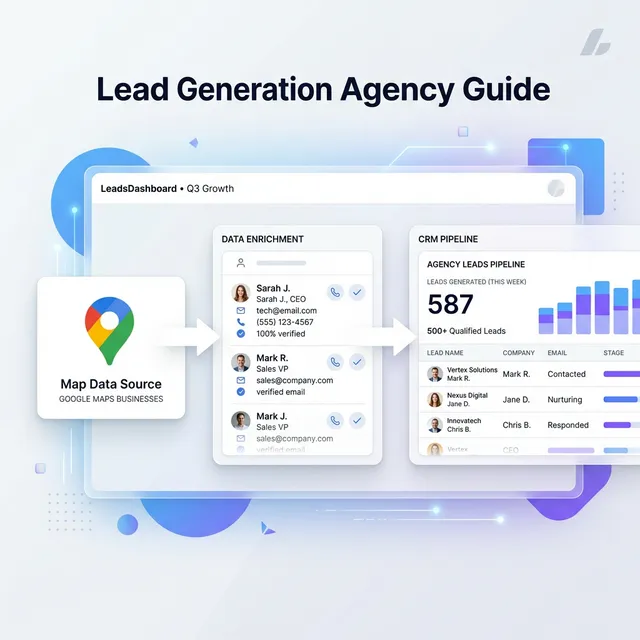
A Google Maps scraper is a software tool or browser extension that automates the extraction of public business data—such as names, addresses, phone numbers, and ratings—from Google Maps listings into a structured format like a CSV or Excel spreadsheet.
What a Google Maps scraper actually does
At its core, a Google Maps scraper automates what you would otherwise do manually: open Google Maps, search for a business type in a city, click through each listing, and copy the data somewhere. The scraper does that automatically, at scale, in a fraction of the time.
The output is a structured file — usually a CSV or Excel spreadsheet — with one row per business listing and columns for the data fields that were available.
A typical extraction for "dentists in Chicago" returns the business name, phone, website, address, category, star rating, review count, and (where available) an email address found by scanning the business's website.
That last part — email discovery — is what separates a good scraper from a basic one. Finding the email requires visiting the business website and scanning its contact page. Not every scraper does this by default.
Why Google Maps data is worth going after
Before you invest in any tool, it is worth understanding why the underlying data source is as good as it is.
Google Maps is updated in real time by the business owners themselves. A business that opened three weeks ago is already on Google Maps. A business that closed last year has usually been removed or flagged. Purchased lead databases are 6 to 18 months old by the time you buy them.
The targeting is also unlimited. You can search any niche in any city, filter by rating, and focus on specific sub-categories. That flexibility is hard to match elsewhere.
| Lead source | Cost | Data freshness | Emails | Targeting |
|---|---|---|---|---|
| Google Maps + LeadsAgent | Free | Real-time | Yes (from website) | Any niche + city |
| Purchased lead lists | $200-500/month | 6-18 months old | Sometimes | Limited |
| LinkedIn Sales Navigator | $99/month | Current | No | B2B, not local |
| ZoomInfo / Apollo | $150-400/month | Varies | Yes | B2B, not local |
For local business outreach, Google Maps is the best option. The question is which tool you use to extract from it. And 27% of those businesses don't even have a website yet — the businesses without website statistics piece breaks down why that matters for outreach targeting.
How the main Google Maps scrapers compare
There are three tools most agencies end up evaluating. Here is an honest breakdown.
| Feature | LeadsAgent | GMapsExtractor | Outscraper |
|---|---|---|---|
| Type | Browser extension (Chrome / Edge) | Browser extension | Cloud API / web app |
| Free plan | Yes, 1,000 leads/month | No free tier | Pay per record |
| Email extraction | Included | Partial | Paid add-on |
| AI-powered targeting | Yes | No | No |
| No-website filter | Built-in | No | No |
| Export formats | CSV, Excel, JSON | CSV | CSV, API |
| Setup | Install and go | Minimal | API keys required |
Outscraper is the best option if you need a developer-accessible API and are building it into a larger workflow. GMapsExtractor suits one-off bulk pulls. LeadsAgent is built for agencies running regular scrapes — it is free to start, includes email extraction, and has features like the no-website filter that are useful for day-to-day prospecting.
Install LeadsAgent — Google Maps scraper for Chrome and Edge
The data you actually get
Not all data fields are available on every listing. Here is a realistic breakdown.
Always available
Every Google Maps listing returns these fields every time:
- Business name and primary category
- Star rating out of 5
- Total review count
- Full address
- Google Maps listing URL
Available on most listings
- Phone number (around 85% of listings)
- Website URL (around 70% of listings)
- Business hours and open/closed status
Pulled from the business website
When the scraper visits the business website to find contact details:
- Email address — available on around 40-60% of listings, depending on how easy it is to find on the site
- Social media profiles where linked publicly
The email coverage varies significantly by niche. Industries where owners are more digital-forward (web agencies, marketing firms, consultants) tend to have higher email coverage. Industries where the owner is often the one answering the phone (plumbing, HVAC, cleaning) tend to be lower.
The weekly agency workflow
This is what a functioning weekly operation looks like using LeadsAgent.
Monday: List building
Run three to five Google Maps searches for your target niche and city. Export each one to CSV. Merge them in Google Sheets and remove duplicates using the Data > Remove duplicates function. Filter for rows with a website URL (better email coverage). You should end up with 200 to 500 usable leads per niche-city combination.
Tuesday: List cleaning
Run the email column through Hunter.io or NeverBounce. Remove hard bounces and role-based addresses (info@, admin@). What remains is your sendable list.
Wednesday: Load and sequence
Import the cleaned CSV into your outreach tool of choice (Instantly, Lemlist, Smartlead). Set up a four to five email sequence using the templates in our cold email guide. Schedule the first sends.
Thursday-Friday: Monitor and respond
Check replies daily. Interested leads go into your CRM immediately — reply within a few hours while you are still top of mind. Everything else continues in the sequence.
Following week: Repeat with a new niche or city
The whole operation runs in about two to three hours across the week once you have done it a few times.
The no-website filter: the most underused tactic for agencies
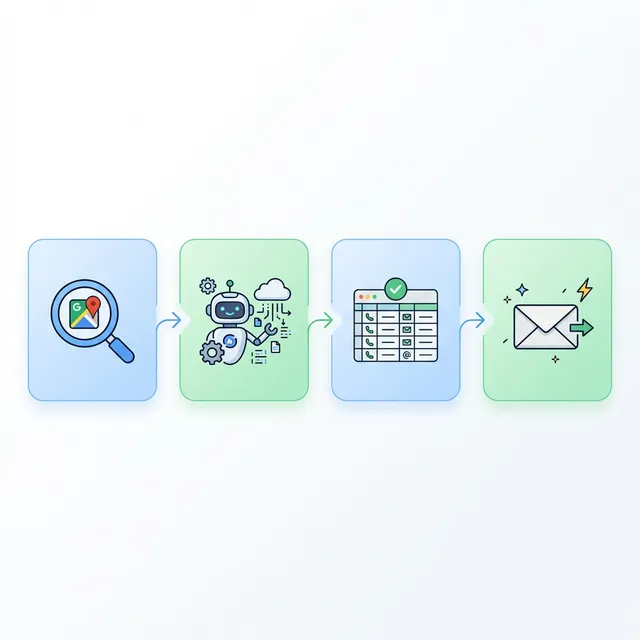
When you export your Google Maps leads, the CSV includes a Website column. Filtering for blank rows gives you businesses that appear on Google Maps but have no website at all.
For web design agencies or digital marketing agencies, this is as close to a pre-qualified list as you will find. These businesses are actively operating (they are on Google Maps), but they are missing one of the most basic elements of a digital presence. Your pitch writes itself.
A typical outreach email for this segment might be: "I noticed [Business Name] does not have a website listed on Google Maps — which means people searching for [niche] in [City] are finding your competitors first." That is a specific problem with a specific solution, and it is something they cannot argue with.
Legal questions, answered plainly
The question that comes up most often: is it legal to scrape Google Maps data for B2B outreach?
The short answer is that publicly visible business information — a business name, phone number, and address that a company chose to list on a public platform — is generally treated as public data in most jurisdictions.
For GDPR and UK GDPR purposes, what matters is that you are processing business contact information for legitimate commercial purposes, that you are contacting businesses rather than private individuals at personal addresses, and that you include a clear unsubscribe mechanism in your outreach.
Google's terms of service prohibit automated access via headless browsers or bots. LeadsAgent operates as a browser extension within your own authenticated browser session — you are browsing Google Maps, the extension just automates the data collection part while you are looking at the same page.
That said: always check current regulations for your specific country and use case. This is not legal advice.
Making it a repeatable operation
The key to getting long-term value from Google Maps scraping is building it into a regular cadence rather than treating it as a one-off.
Re-scrape every 60 to 90 days. New businesses open, old ones close, and the "freshness advantage" of Google Maps is only useful if you are actually capturing new listings. Running the same searches quarterly surfaces fresh prospects with zero extra research.
Expand verticals once you have a niche dialled in. If web design for plumbers in Austin is working, the next step is plumbers in Dallas, then Houston, then switching niche to HVAC contractors using the same workflow.
The volume compounds quickly. A two-hour Monday morning session can feed a full week of outreach — and with LeadsAgent's free plan (1,000 leads/month), most early-stage agencies can run this without paying anything to start.
For a deeper look at how AI agents are changing this workflow, see our Google Maps scraper agent guide. And if you're targeting B2B specifically, the B2B lead generation workflow has a dedicated process for that.